
MiniMax H3
Video that arrives with its own sound
MiniMax H3 generates 2K picture and a synchronised stereo track in a single job — effects, room tone and spoken dialogue, together. Live on Popcraft.
Films made with H3
Dialogue, titles, a trailer, brand and product film, fashion, game interface, poster design, effects, macro and a true anamorphic frame. They play as you scroll; tap the speaker to hear one.
Someone actually talking
A creator at a pavement cafe, speaking to camera. The words, the lip-sync and the street behind her all came out of the same generation — this is the capability the rest of the model is built around.
Eyewear campaign
Shot native 9:16 for social. Mirrored lenses, sculpted silhouettes and a clean studio sweep — identity holding across every cut.
MIDNIGHT LINE
A crime title sequence: split screens, hard colour blocks and cast cards cutting on the drum hits, over its own suspense-jazz score.
A game menu that works
Character select, armament customisation, readable button states. Rendering legible UI is where most video models fall apart, which is exactly why it is here.
THE STARS WERE LISTENING
A high-contrast sci-fi teaser. One small figure against an enormous ring, the title resolving out of the dark, and a score that swells with it.
POPUP! Series 001
A poster and collectible design, held flat and legible: headline type, series numbering, and a character rendered clean enough to print.
Fire and leather
Editorial fashion at full contrast — flame behind, patent leather in front, and the model held consistent shot to shot.
LEATHER IN MOTION
Dusk, a car, and a texture study. Slow moves, a single practical light source, and typography set clean over the picture.
Drawn over the real world
Hand-drawn glowing line animation riding on top of live-action tram footage, transforming shape to shape as it travels the carriage.
Close enough to count scales
A crested gecko in extreme macro, tongue flicking across the eye. Skin texture, wet specular and micro-movement holding at 2K.
MINIMAX, 2.35:1
A branded piece delivered at 2944 by 1248 — a genuine anamorphic frame rather than a 16:9 crop, with the wordmark set repeatedly and cleanly along the balustrades.
The prompt that made it
The brief, the boards it was given, and the film that came back — score, cuts and on-screen type included, in a single generation.
A fifteen-second 16:9 title sequence for a light-suspense crime film. Visual language: retro Japanese anime titles, hard-edged silhouettes, comic collage, asymmetric split screens, strong geometric colour blocks, English credits, a little katakana, a jazz-crime feel. Mood 60% suspense, 40% jazz — mysterious, cool, urban; not horror, not heavy, and not a cheerful jazz video.
Motion should read as motion-graphic collage: line frames draw on black, split boundaries snap out, colour blocks and panels paste in block by block; silhouettes, prop close-ups and credits slide, pop and mask-reveal on the drum hits.
English credits must be clean and readable, and may animate: a thin frame draws, the name slides in, letters appear one by one, a colour block masks the reveal, then it holds. No added Chinese, no garbled glyphs, no misspellings. Every credit and role appears once — no repeated role, no repeated name, nobody holding two jobs.
Transitions: circular vinyl mask, vertical car-door wipe, a long shadow sweeping the frame, a red line cut, a giant letterform mask, split-frame reassembly, hard colour-block cuts. All on the beat. No soft dissolves, no fluid morphs.
Music: an original 15-second title cue, 60% suspense and 40% jazz — sustained bass, tense pizzicato strings, a cold synth pulse, kick, sparse brushes, a walking-bass fragment, low sax phrases and short brass stabs. Low end and hats build for 2s, kick at 3s, jazz bass at 6s, a short sax/brass riff at 10s, and a tense chord with drums to freeze the last 2s. Do not imitate any existing melody.
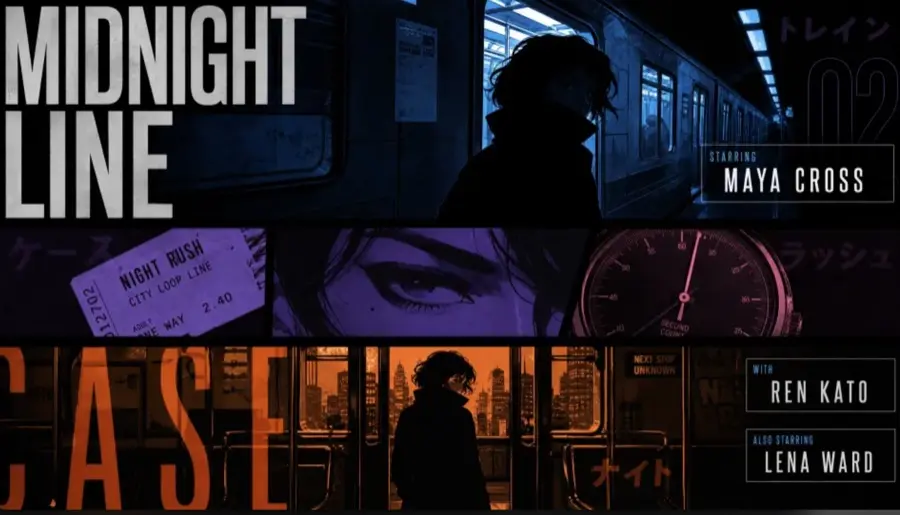
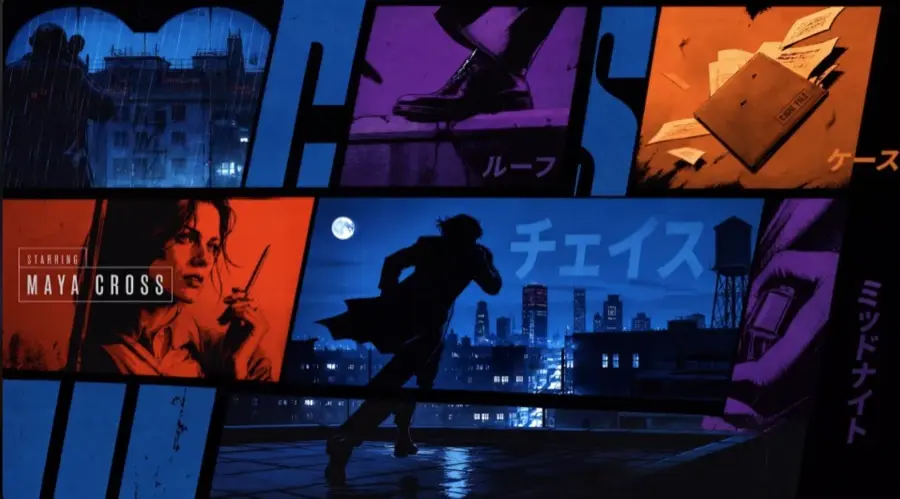
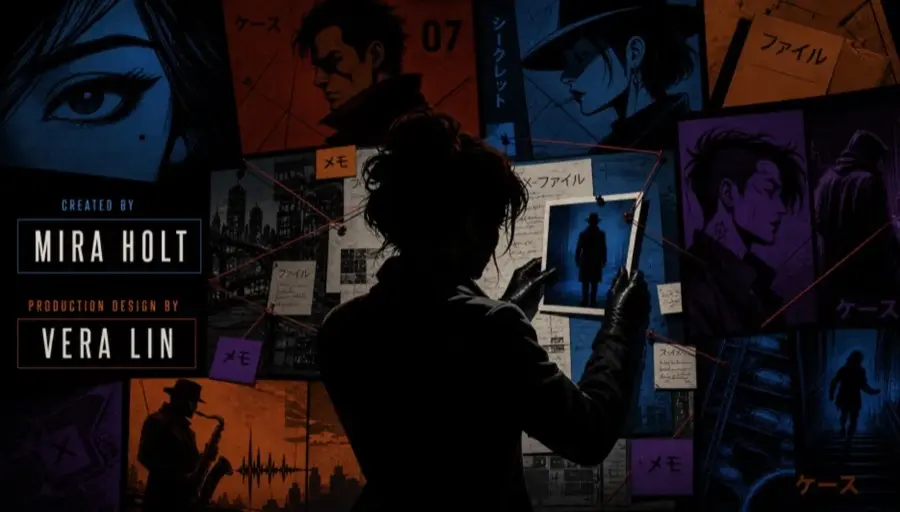
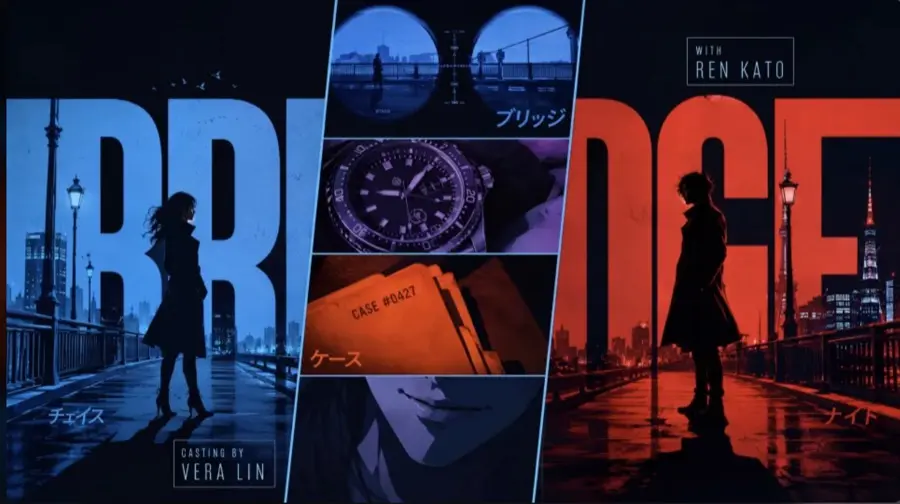
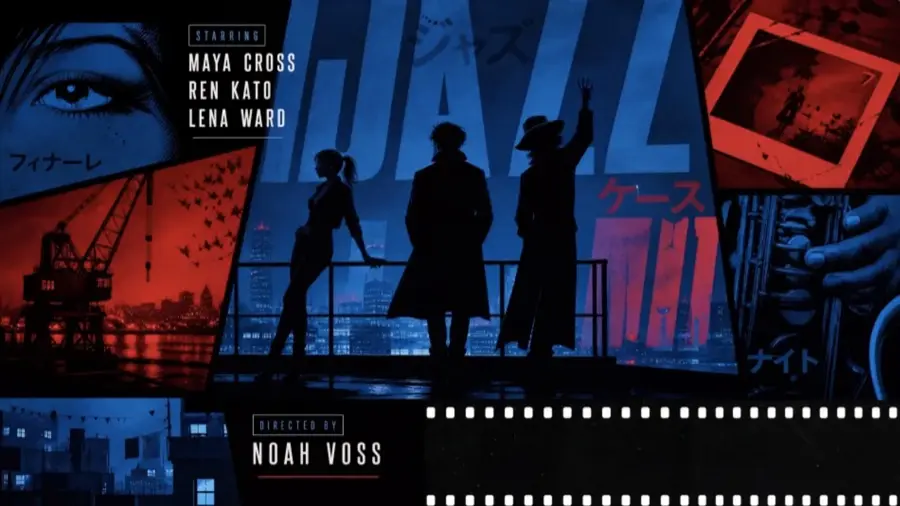
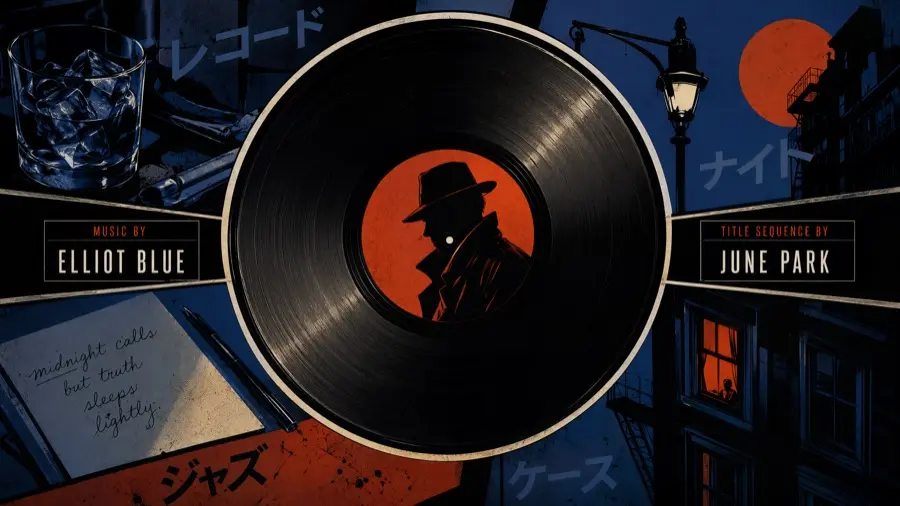
The six boards the brief points at — "reference the visual language of these images".
One generation. The cast cards, the split screens, the vinyl-mask transitions and the suspense-jazz cue all came back together — nothing here was scored, lettered or cut afterwards.
What people will use it for
The work where generated sound and cuts-in-one-take change the job itself.
Vertical ads that are watchable on the first pass
A 9:16 cut arrives with room tone, foley and a spoken line already on it, so the first version a stakeholder sees is not a silent animatic.
Packshots that move
Bracket a product still with a first and a last frame and the model fills the travel between them — the same jar, the same light, opened.
One face across a whole series
Reference images hold identity and wardrobe across takes and across the cuts inside a take, which is what a recurring on-camera persona needs.
Animatics with the camera written in
Moves are written as sentences from a named set, so a push-in is a push-in rather than whatever the model felt like doing.
Cutdowns without an edit
Cuts written into the prompt come back as several shots inside one clip, with the ambience running unbroken across them.
What actually sets it apart
Three things — and only the first is genuinely rare.
Sound generated with the picture
Effects, ambience and lip-synced dialogue in the same file. We transcribed the audio back four times; the scripted lines came back verbatim and in sync every time.
Cuts inside one generation
Three shots and two hard cuts, placed where the prompt put them, with zero unintended splices on the delivered file — and the ambience running through them.
Any whole second, 5 to 15
Duration is honoured to the frame in reference mode. An eleven-second cut is asked for as eleven, not rounded up to fifteen.
H3 beside Seedance 2.0
Our own run: the same prompt and the same reference images, with the model as the only deliberate variable. One prompt, not a benchmark. One field had to change with the model: H3 rejects a stated aspect ratio when a reference image is attached, so it picked its own.
| Measurement | MiniMax H3 | Seedance 2.0 |
|---|---|---|
| Delivered picture | 1440 × 2560 · 24 fps | 1248 × 1664 · 24 fps |
| Spoken lines, transcribed back | verbatim and in sync, 4 of 4 | garbled, out of sync |
| Duration asked → delivered | 8 s → 8.000 s | 8 s → 8.08 s |
| Framing instruction held | no — the jar drifted smaller | yes |
| Wordmark legible, frame by frame | 134 of 192 | 159 of 193 |
Comparable on picture, clearly better on sound, worse at following an instruction. Neither prompt wrote a word of dialogue and both asked for quiet room tone only — which is how we learned that H3 writes its own if you let it.
How to prompt it
Three parts. Say what every attachment is for, write one sentence of core creative, then describe the clip shot by shot — each shot carrying its cut time, framing, camera move, dialogue and the sound the action makes.
Say what you do not want, out loud
A negative has to be its own instruction. For silence, set the non-diegetic music field to N/A — written "non_diegetic_music": N/A. Leaving the field out is not the same request.
This is not optional. A prompt of ours that asked for quiet room tone and wrote no dialogue came back with a full spoken read, lip-synced, making product claims nobody typed.
The soundscape has its own field
Ambience and action sound do not go in the shot description. They go in overall_soundscape, one to four sentences for the whole clip. Score the characters cannot hear goes in non_diegetic_music. Dialogue stays in the shot.
Quote text, and fit lines to shots
Words meant to appear on screen go in the prompt exactly as they should read, in quotation marks. A spoken line has to fit the seconds its shot is given; it may run across a cut if you name the shots it spans.
A prompt, filled in
the three parts, in the field format the model readsintegrated_multimodal_description: [Shot 1] A barista sets a mug on the marble counter shown in <Picture 1>, keeping the counter, the light and the mug's position. The camera pushes in with small amplitude at slow speed. The barista with a warm, low voice (S1) says: <d>[English] Yours.</d> [Shot 2] At 00:05.000, the shot cuts to an overhead close-up of steam rising from the mug while her last word carries over. overall_soundscape: Ceramic meets stone with one soft knock and low room tone continues underneath. An espresso machine hisses two rooms away. non_diegetic_music: N/A
Using it on Popcraft
H3 sits in the video model list beside Seedance. Three steps, and the third is the one people skip.
Choose MiniMax H3
Then set the length — any whole second from five to fifteen — and the picture tier.
Attach references, and say what each is for
MiniMax lists an unlabelled attachment as the first thing that goes wrong. One image is a first or a last frame and you say which; two bracket the shot.
Direct the sound, including the silence
Write the soundscape, and write what you do not want as its own instruction. Left unwritten, H3 will write and perform its own dialogue.
Questions
A clip arrives with its effects, room tone and dialogue already on it, so the sound stage becomes an edit rather than a build from nothing. What it is not is a finished mix. Levels vary from take to take, so plan on a loudness pass before anything is published.
Yes, unless you tell it not to. This is the single most important thing to know about H3. A prompt of ours asked for quiet natural room tone and wrote no dialogue at all; H3 wrote, performed and lip-synced a full spoken read, including product claims nobody had typed. Leaving the sound fields out is not the same request as asking for silence. Write the negative as its own instruction and direct the soundscape every time. For a client or a regulated category, treat this as a review step rather than a preference.
A 768p request returns a 768-pixel short edge. A 720p request returns the same. A 1080p request is pushed up to 2K — 1440 pixels on the short edge — which is the one value that does not come back as asked. The small tier lands roughly 40% faster in about a third of the bytes. What it costs you is small type: a wordmark survives at 768, a much smaller second line under it mostly does not.
Only when you are not attaching a reference image. Text-to-video honours a stated ratio. Attach any reference and the ratio must be set to adaptive — and adaptive is not deterministic, it does not simply copy the reference. A 3:4 reference came back 9:16 on one of our jobs. Read the delivered file rather than the request.
Identity yes, framing less reliably. Reference images lock identity and wardrobe well, including across the cuts inside a multi-shot take. Framing instructions held less firmly than Seedance 2.0 did on the same brief — our product drifted smaller in frame. Restate the shot size and name the character on every cut, which is what MiniMax's own prompting guide advises.
The same model under two names. MiniMax publishes it as MiniMax H3; some hosts label it Hailuo 3.0 — on the Popcraft model picker it appears as Hailuo 3. This page uses MiniMax H3 throughout.
H3 charges by the second of output. For current per-second pricing, see the pricing page. One thing worth knowing before you generate: the 768p tier lands in about a third of the bytes of 2K, and roughly 40% faster, if that trade suits the job.
Generate a clip that already has its sound
H3 is live on Popcraft, alongside the rest of the video line-up.
Keep exploring
Related models
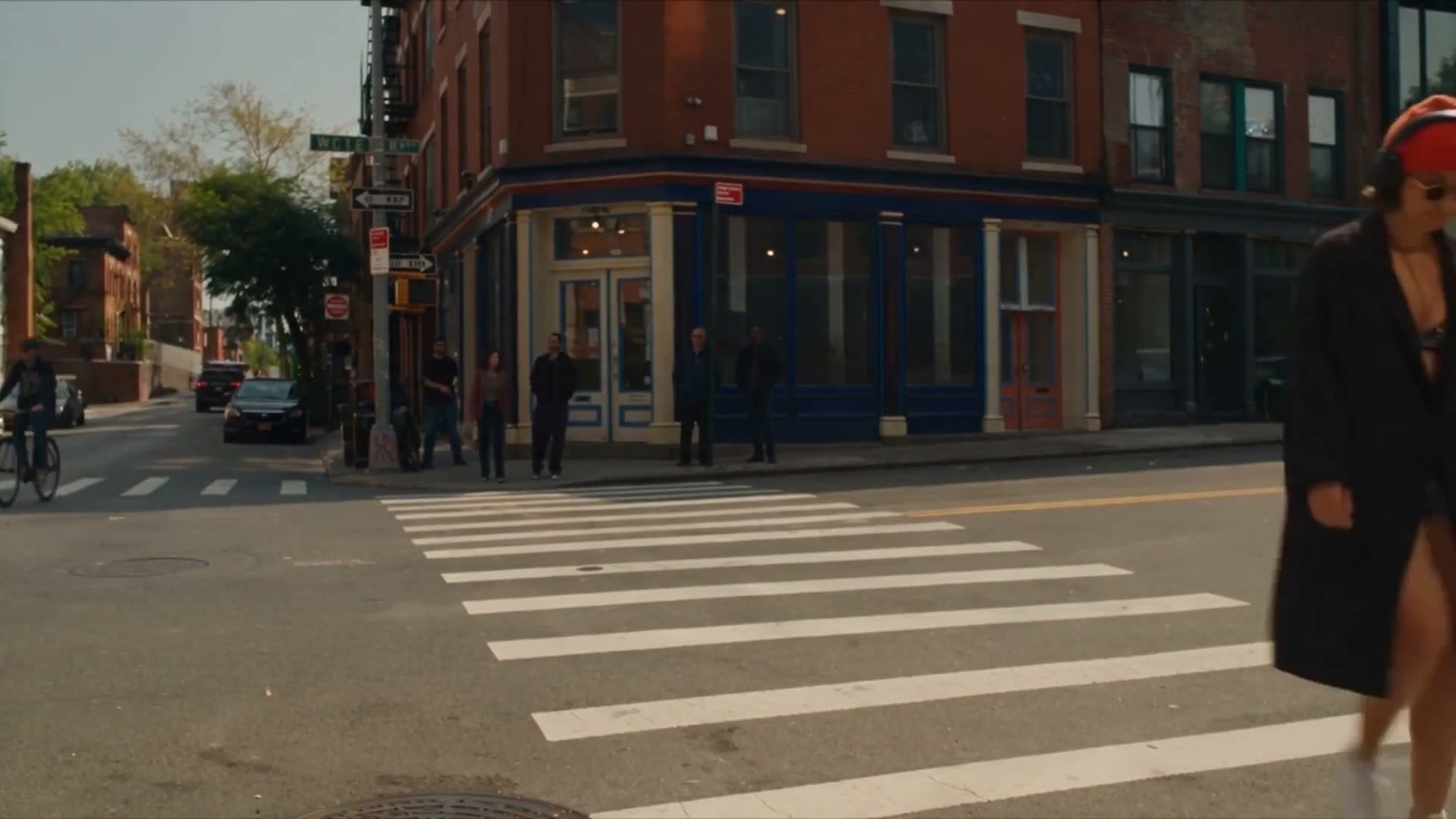
Seedance 2.5 generates up to 30 seconds of video in a single job, with up to 50 reference assets, controllable video editing, high-fidelity temporal extension, any aspect ratio from 0.4 to 2.5, and native prompting in 10+ languages. Live on Popcraft.
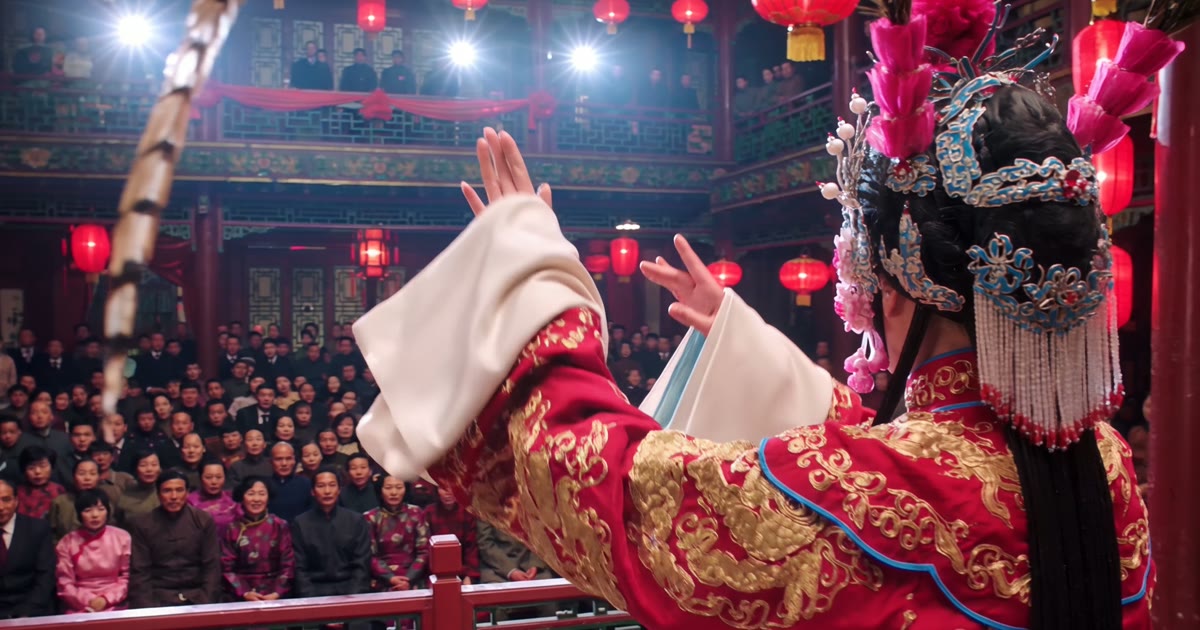
Generate 2 to 30-second AI videos in one pass with Wan 3.0, Alibaba's video model: 1080p at 30 fps, dialogue and music included, up to 4 images, 5 clips and 5 voices as references. From 11 credits a second on Popcraft.
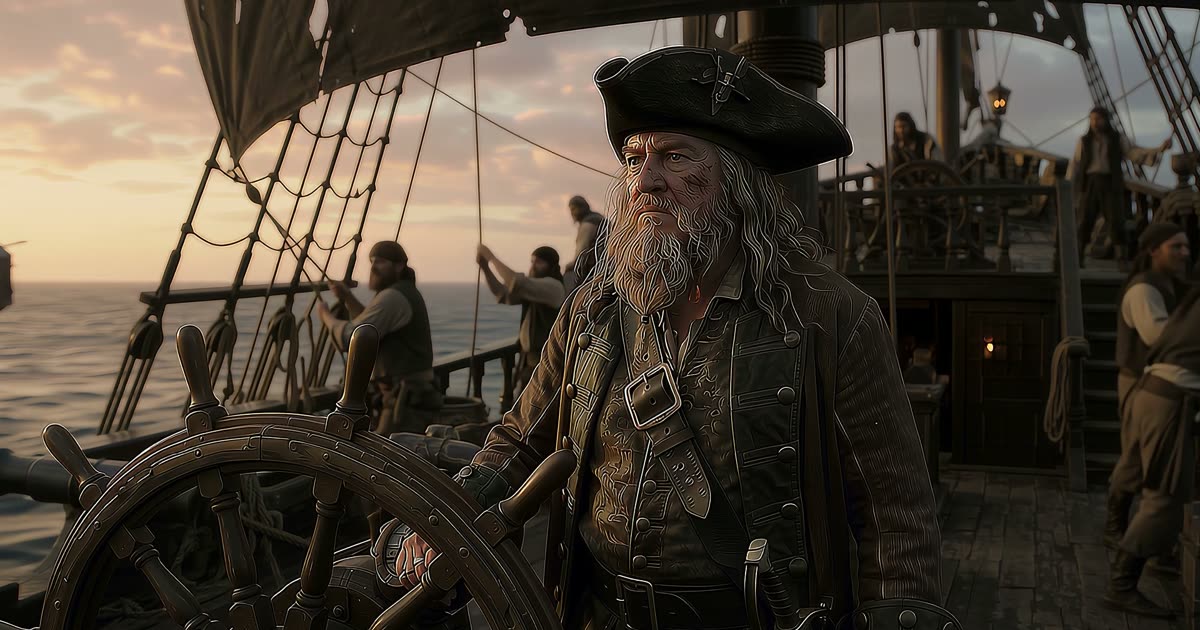
Gemini Omni 1.1 Flash is Google's video model that creates and edits video from any input. Up to 40 seconds by scene extension, 1080p and 4K output, first-and-last-frame interpolation, up to 10 reference images, and speech, music and sound effects generated with the picture. Live on Popcraft.
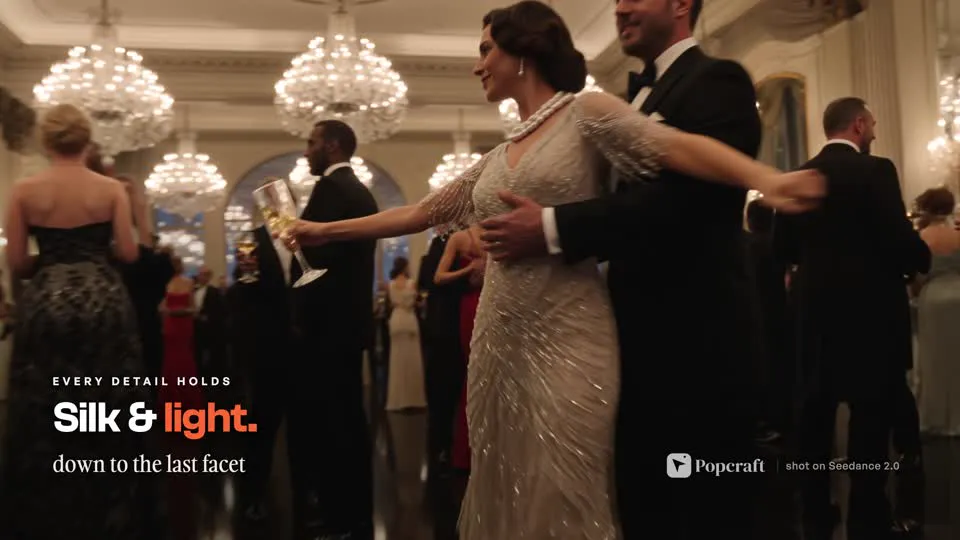
Generate cinematic 4K video from text, images, or clips with Seedance 2.0 on Popcraft. Native synced audio, multi-shot sequences, and razor-sharp detail at up to 4K (2160p).