
Google · Gemini Omni 1.1 Flash
Create and edit video from any input
Google's Omni Flash is one model for video generation, editing and extension — text, images or a clip in, video with its own speech, music and sound effects out. Version 1.1 adds scene extension to 40 seconds, first-and-last-frame control and 1080p and 4K output.
Live in the video studio, Canvas and the MCP connector
- 3s
- 10s
- 20s
- 30s
- 40s
Describe the scene, camera, lighting and mood. Audio is generated to match.
The image is the guide or starting point; the prompt says what moves.
The model animates from the first frame to the last — orbits, zooms, seamless loops.
Characters and objects in the photos stay consistent through the clip.
Edits keep everything you did not mention; extension appends 10s at a time.
What Google built into Omni
Three things the model card and launch post lead with, and why they matter for a long clip. Every claim below is Google's; the render further down is ours.
Ten seconds of memory between legs
Omni 1.1 analyses up to 10 seconds of prior context when it extends a scene — earlier models referenced only the final second. That is why a 40-second chain keeps the same captain, ship and grade across four legs.
Physics and world knowledge
Google describes an intuitive understanding of gravity, kinetic energy and fluid dynamics, combined with Gemini's knowledge of history, science and culture — water that erupts like water, a galleon that heels like a ship.
SynthID and C2PA on every clip
Every generated video carries Google's invisible SynthID watermark and supports Content Credentials (C2PA), so a hero clip can be published with its origin verifiable — a requirement on a growing number of platforms.
Sources: Google's "Introducing Gemini Omni" and "Gemini Omni 1.1 Flash lets you build with more control" posts, the DeepMind model card, and the Gemini Enterprise Agent Platform model page.
Two demonstrations, straight from the model
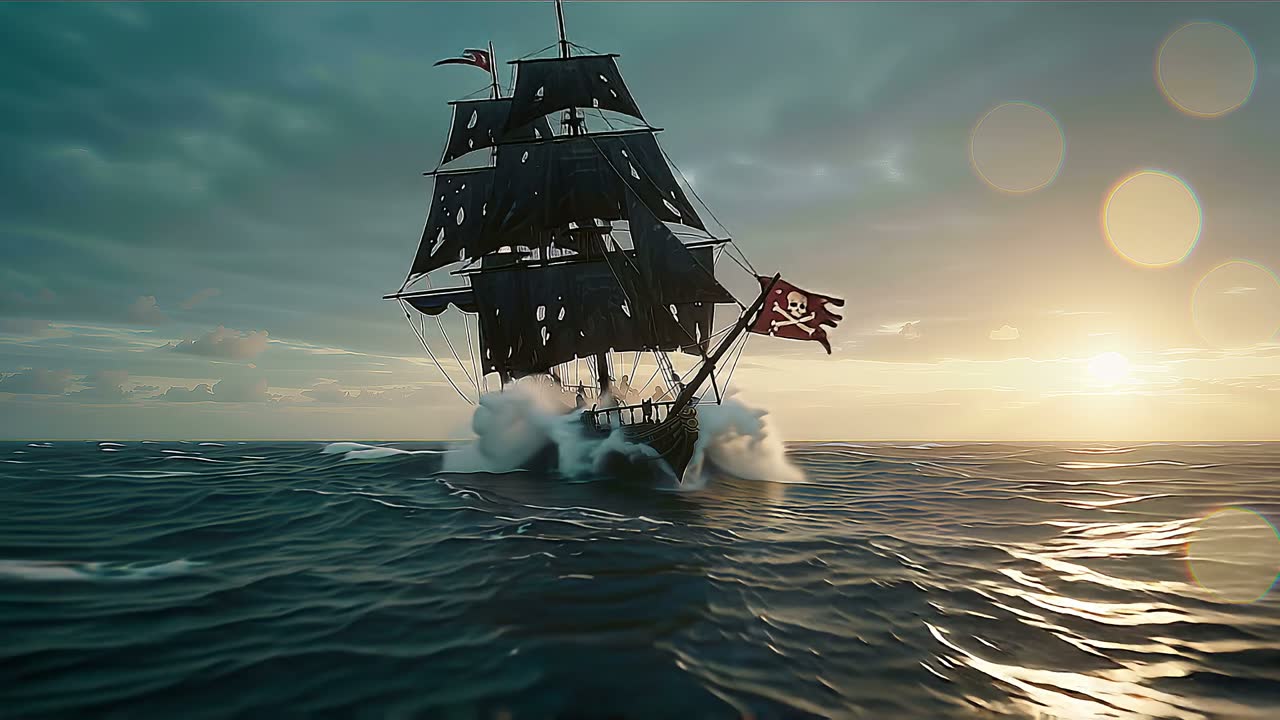
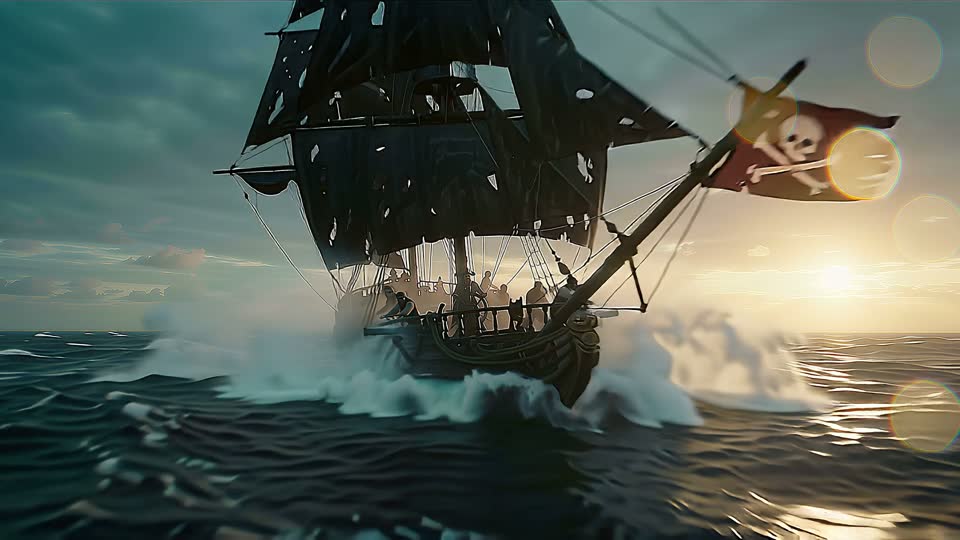
Both were generated on Popcraft and are shown as delivered — no edit, no added music. The trailer is one 40-second request at 1080p. The pair on the right is a 5-second clip and the same clip after a scene extension to 25 seconds.
Any length up to 40 seconds. Popcraft chains it for you.
Google's launch post calls it scene extension: videos grow "in 10-second increments up to a total cumulative length of 40 seconds". On Popcraft you never manage that. Pick any length from 3 to 40 seconds on one slider and Popcraft auto-chains the extension process from your single prompt, then hands back one file, one story, one soundtrack. Here is the trailer at six points along it.
 1s
1s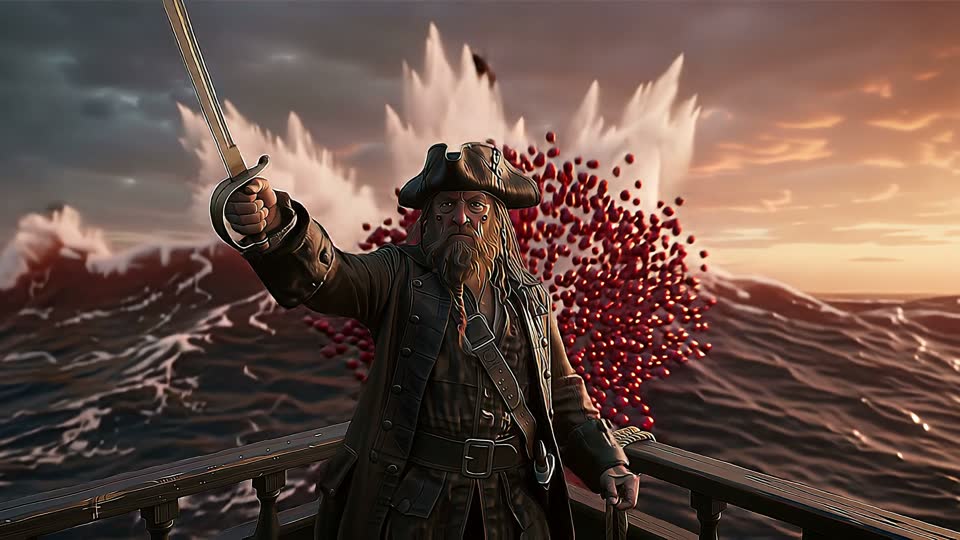 8s
8s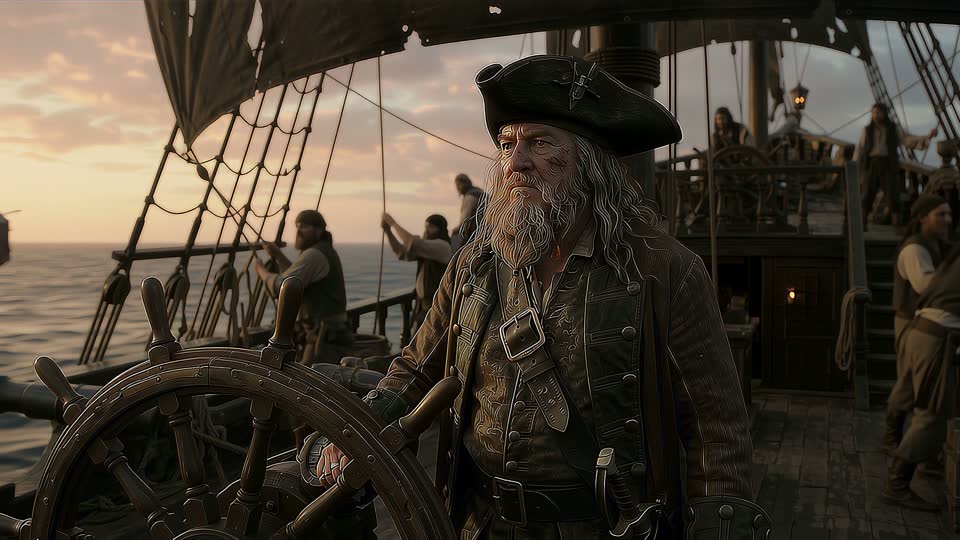 15s
15s 22s
22s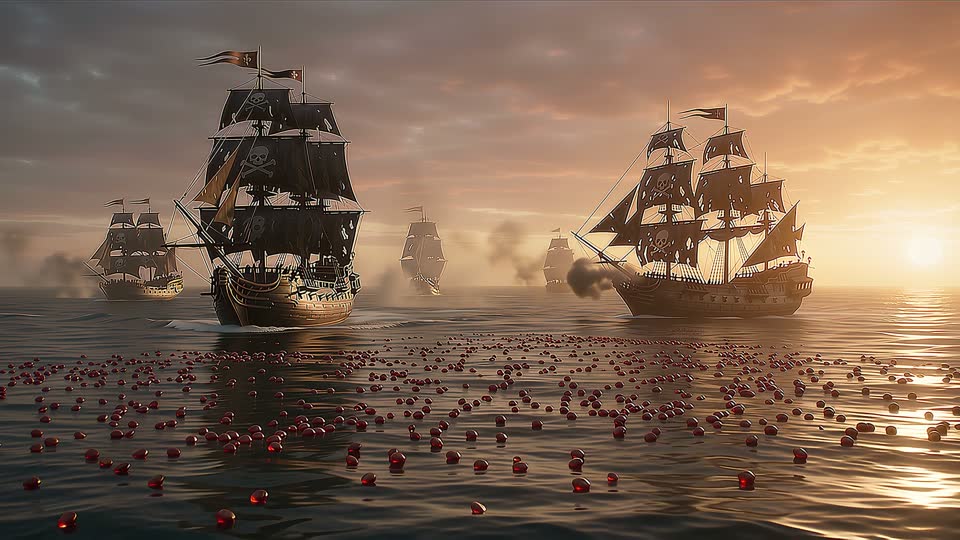 29s
29s 36s
36sAny length, auto-chained
Pick 3 to 40 seconds and Popcraft runs Google's extension chain for you behind the scenes — no legs to plan, no clips to stitch — and you pay for the seconds delivered.
Production resolution
"Polished, high-resolution 1080p or 4K outputs that are ready for professional production", in Google's words. On Popcraft, 4K chains run to 30 seconds.
First and last frame
New in 1.1: specify the starting and ending frames of a shot and Omni generates continuous video between them — complex camera orbits, zoom transitions, seamless loops.
Speech, music, sound effects
Listed on the model card as generated with the picture. Direct it in the prompt — a radio playing, no dialogue, ambient only — and it follows.
Bring your own images or video
The same model reads references, edits and extends. Google's guidance is to rely on prompting: name what should stay, name what should change, and say "extend" when you mean extend.
Subject reference
Attach photos of a person, a product or a location and describe the scene. The model keeps characters and objects consistent through the clip, including across the legs of a long one.
No training step, no character file. Two photos of the same subject from different angles hold better than one.
The woman in the reference photos walks toward camera on a beach at golden hour, wind in her hair, waves behind her.
Video edit
Attach a clip and say what should be different. Google's own advice: "Simple prompts work best for video editing" — the model preserves the elements you did not mention.
The output keeps the source's length and framing, and is billed by that length.
Make it snow heavily. Keep everything else the same.
Scene extension
Attach a clip and choose a longer total. The original is kept frame-for-frame, new footage is appended in 10-second legs with the sound carried on, and the model reads up to 10 seconds of the clip for continuity.
Say "extend" — Popcraft adds it for you on the Extend Video panel if you forget, because without the word the model treats the request as an edit. Extension appends to the end only.
Extend this video: continue the exact same scene as the boat reaches the pier and the crew throw the lines ashore.
Omni beside Seedance 2.5 and Veo 3.1
Three models that all generate audio with the picture. Omni's edge is scene extension to 40 seconds and 4K output from one model; Seedance's is reference count and region-precise editing; Veo's is frame control at 8 seconds. Pick by the job.
| Capability | Gemini Omni 1.1 Flash | Seedance 2.5 | Veo 3.1 |
|---|---|---|---|
| Longest clip from one request | 40 s by scene extension (30 s at 4K) | 30 s | 8 s |
| Highest resolution | 4K (3840×2160), down to a 360p draft tier | 1080p | 1080p |
| Native audio | Speech, music, sound effects | Yes | Yes |
| Reference images | Up to 10 | Up to 30 (+10 video, +10 audio) | Up to 3 |
| Reference videos | Up to 3 | Up to 10 | 1 (extension) |
| Video editing | Conversational; keeps what you did not mention | Controllable, region-precise | — |
| Video extension | 10 s increments to 40 s, 10 s of context | Before or after, to 30 s | +7 s per step |
| Provenance | SynthID + C2PA Content Credentials | — | SynthID |
Omni figures are from Google's model page and launch post; the Popcraft limits are what the picker exposes today. Provider ceilings change; the picker always shows what is currently available.
Where a long, loud, single request pays off
Anything that used to mean five clips and a join.
Landing-page hero
Any length from 3 to 40 seconds (30 at 4K) with its own score, in one file. Set the slider to 24 and Popcraft auto-chains the extensions for you.
Trailers and teasers
A full arc — establish, reveal, climax — in one continuous render, music rising underneath.
Spots with a consistent star
A few photos of the product or presenter keep them identical across every shot.
Reshape what you shot
Weather, wardrobe or time of day changed on real footage, length and camera untouched.
Ideas broken down visually
Google's launch post singles this out: "compelling explainers from short prompts", with visuals that unpack a complex idea.
Prompting for a chain
Google's guide asks for scene description, camera movement, lighting and mood, and offers timecode syntax for events. Everything else here comes from the trailer above: it did what we asked, and reordered what we asked, because we asked for too much per leg.
One action per 10 seconds, with timecodes
Write the beats as a timed sequence — Google's own guide documents the [0-3s] … [3-6s] … syntax. Each 10-second leg gets one clear thing to do; the model plans legs from the prompt, so give it the plan.
Put the look (grade, lens, mood) in one short line at the end, not a paragraph at the start. For one unbroken take, say so: "in a single continuous shot, no scene cuts".
A pirate galleon in a storm at dusk, skull flag, torn black sails. Single continuous shot, no scene cuts.
[0-10s] The ship crashes through waves; the camera rises to the deck.
[10-20s] The bearded captain at the wheel shouts an order; the crew roar back.
[20-30s] He opens an iron chest at the bow; it overflows with red cranberries.
[30-40s] A rival ship fires; cranberries scatter in slow motion as he raises his cutlass.
Look: anamorphic flares, teal-and-amber grade, orchestral score, no on-screen text.
A dense trailer paragraph
This is what we actually sent for the trailer above: five beats, a chest reveal, a rival ship and a finale in one unbroken paragraph. The model kept the ship, the captain and the grade, and shuffled the order.
The cranberry spray landed at 8 seconds; the chest never clearly opened. Dense prompts do not fail, they get compressed.
Hollywood blockbuster trailer, "Pirates of the Cranberries". Epic live-action cinematic look: anamorphic lens flares, deep teal-and-amber grade, volumetric sea mist, 35mm film grain… [five beats, one paragraph, 240 words]
- Say "extend"
- For an extension the word is the switch. Popcraft adds it on the Extend Video panel if it is missing; from the API or MCP, write it yourself. Extension appends to the end only — there is no prepend.
- Frames need words too
- Two images are subject references unless you say "first frame" and "last frame" and describe the transition.
- Direct the sound
- Google's guide: "By default the model will try to generate an appropriate audio track." Use simple negatives — "no dialogue", "no extra sound effects" — or name what you want: a radio playing, rain on canvas, a string swell.
- Keep edits simple
- Google's guide again: "Overly descriptive prompts can lead to unintended changes." Name the change, add "keep everything else the same", stop.
What it costs
Omni is billed per second delivered, by resolution. Because Popcraft only offers lengths the model can hit exactly, the price you see before generating is the price you pay.
Drafts and social. A 10-second clip is 150 credits; the full 40 seconds is 600.
Delivery quality. The 40-second trailer above is 920 credits — one request, sound included.
Native 3840×2160 for hero placements. Capped at 30 seconds; a full 30-second 4K chain is 1,350 credits.
Frequently asked questions
Google's video model, described by DeepMind as "our next step towards models that can create and edit anything from any input — starting with video". One model covers text-to-video, image-to-video, first-and-last-frame interpolation, subject reference, video editing and scene extension, and generates speech, music and sound effects with every clip. Version 1.1, released 27 August 2026, added extension, keyframes and 1080p/4K output.
Each generation pass is up to 10 seconds; scene extension grows a video in 10-second increments up to a cumulative 40 seconds. On Popcraft you simply pick any length from 3 to 40 seconds on one slider and Popcraft auto-chains the extension process from your one prompt; the slider only offers lengths the model can deliver, and you pay for the seconds you get. At 4K the chain stops at 30 seconds, and first-and-last-frame videos are a single pass, so they are 3 to 10 seconds.
By default, yes — Google's guide says the model "will try to generate an appropriate audio track", and the model card lists speech, music and sound effects. Direct it in the prompt, including "no dialogue" or "no music" when you want silence. You can also replace or layer audio afterwards on the Popcraft timeline.
Attach a clip and choose the total length you want. The original is kept frame-for-frame and whole 10-second legs are appended to the end, with up to 10 seconds of the clip read for continuity. A 5-second clip therefore becomes 15, 25 or 35 seconds — never 20. Popcraft only offers the lengths the model can deliver and bills exactly those. Extension appends to the end only.
Yes. Attach the source and describe the change. Google recommends simple edit prompts and adding "keep everything else the same"; the model preserves the elements you did not mention. The result keeps the length and framing of the original and is billed for the length of the source clip. Editing spoken dialogue is not supported.
4K renders at 3840×2160 and costs three times the 720p rate per second, because it uses three times the compute. Each 4K leg takes several minutes upstream, so the chain stops at 30 seconds. Every length and resolution shows its credit price before you generate.
Because each 10-second leg is an extension of the one before it and the model plans the beats itself. Give it one clear action per 10 seconds using Google's timecode syntax, and drop film-language padding. Dense five-beat trailers get compressed or reordered; three beats over 30 seconds hold.
Every Omni video carries Google's invisible SynthID watermark and supports C2PA Content Credentials, which verify origin without affecting how the clip looks. Popcraft paid plans grant commercial rights to the videos you generate; free-tier downloads carry a visible Popcraft watermark, which paid plans remove. You remain responsible for the likeness and content in your prompts and reference media.
Ready for one request instead of five clips?
Start with 10 seconds at 720p, judge it, then extend the scene — or bring a clip you already like and extend that.
Keep exploring
Related models
Seedance 2.5 generates up to 30 seconds of video in a single job, with up to 50 reference assets, controllable video editing, high-fidelity temporal extension, any aspect ratio from 0.4 to 2.5, and native prompting in 10+ languages. Live on Popcraft.
Generate 2 to 30-second AI videos in one pass with Wan 3.0, Alibaba's video model: 1080p at 30 fps, dialogue and music included, up to 4 images, 5 clips and 5 voices as references. From 11 credits a second on Popcraft.
MiniMax H3 generates 2K video at 24fps with a synchronised stereo soundtrack — effects, ambience and dialogue in one job. Multi-shot from a single prompt, 5 to 15 seconds, first and last frame control. Live on Popcraft.
Generate cinematic 4K video from text, images, or clips with Seedance 2.0 on Popcraft. Native synced audio, multi-shot sequences, and razor-sharp detail at up to 4K (2160p).