The short version, for people who will not read past the fold. Gemini Omni 1.1 Flash is Google's one-model-does-everything video model: text, images or a clip in, video with its own sound out. Version 1.1 (27 August 2026) added the two things that matter for real work, scene extension to 40 seconds and 1080p/4K output. It is live on Popcraft now. We spent a day with it, and the single most useful thing we learned is that "extend to 20 seconds" from a 5-second clip gives you 25.
| Google says | We got | |
|---|---|---|
| Longest clip | 40 s by scene extension, in 10 s increments | 40.0 s from one prompt, 23 minutes wall time |
| Extension | "Analyses up to 10 seconds of prior context" | 5 s source → 25.0 s file, original kept frame-for-frame |
| Resolution | 360p to 4K, "ready for professional production" | 1080p trailer, 720p tests; 4K chains stop at 30 s |
| Audio | Speech, music, sound effects with the picture | Orchestral score on the trailer, storm bed on the extension |
| Physics | "Intuitive understanding of forces like gravity, kinetic energy and fluid dynamics" | A 30 s ink-in-water piece with three fluids that behave, below |
| Camera | Partner quote: "dynamic camera motion" | Drone and orbit land every time; whip pan, crane and dolly zoom get softened |
Wednesday, 10:41. It is on.
Batch AI flipped the model on their test gateway the night before. Two facts from their side first, because those two facts decide how you use the model: the resolution string is "4K" and it really returns 3840×2160, and extension is a proper mode at the API level, not a prompt trick. Everything else below is us pressing buttons.
The first job was deliberately boring. A lighthouse keeper on a spiral staircase, vertical, 5 seconds, 720p. It came back in about two minutes at 5.01 seconds with wind and rain on the track that nobody asked for. That is Omni's default: Google's developer guide says the model "will try to generate an appropriate audio track for a video", and it does, every time, unless you tell it not to.
11:20. The extension that was 5 seconds longer than we asked for
This is the bit worth the price of the post. We attached the 5-second clip, wrote one line ("the keeper steps out onto the lamp gallery and lights the lamp"), and asked for a total of 20 seconds.
The file that came back is 25.0 seconds long.
Not a bug. Google's launch post says extension works "in 10-second increments up to a total cumulative length of 40 seconds", and it means whole increments: 5 plus 10 plus 10. The first five seconds of the new file are our original, byte-for-byte, and the storm audio carries straight across the join. It looks great. It just is not 20 seconds.
So a rule for anyone building on this model, and the reason Popcraft's Extend panel now lists 15, 25 and 35 for a 5-second source instead of the tidy 10/20/30/40: you can only land on source-plus-whole-legs. We bill the seconds that come back, not the number you typed.
"Extend videos in 10-second increments up to a total cumulative length of 40 seconds." — Google, launch post for Omni 1.1 Flash
12:05. Forty seconds, one prompt
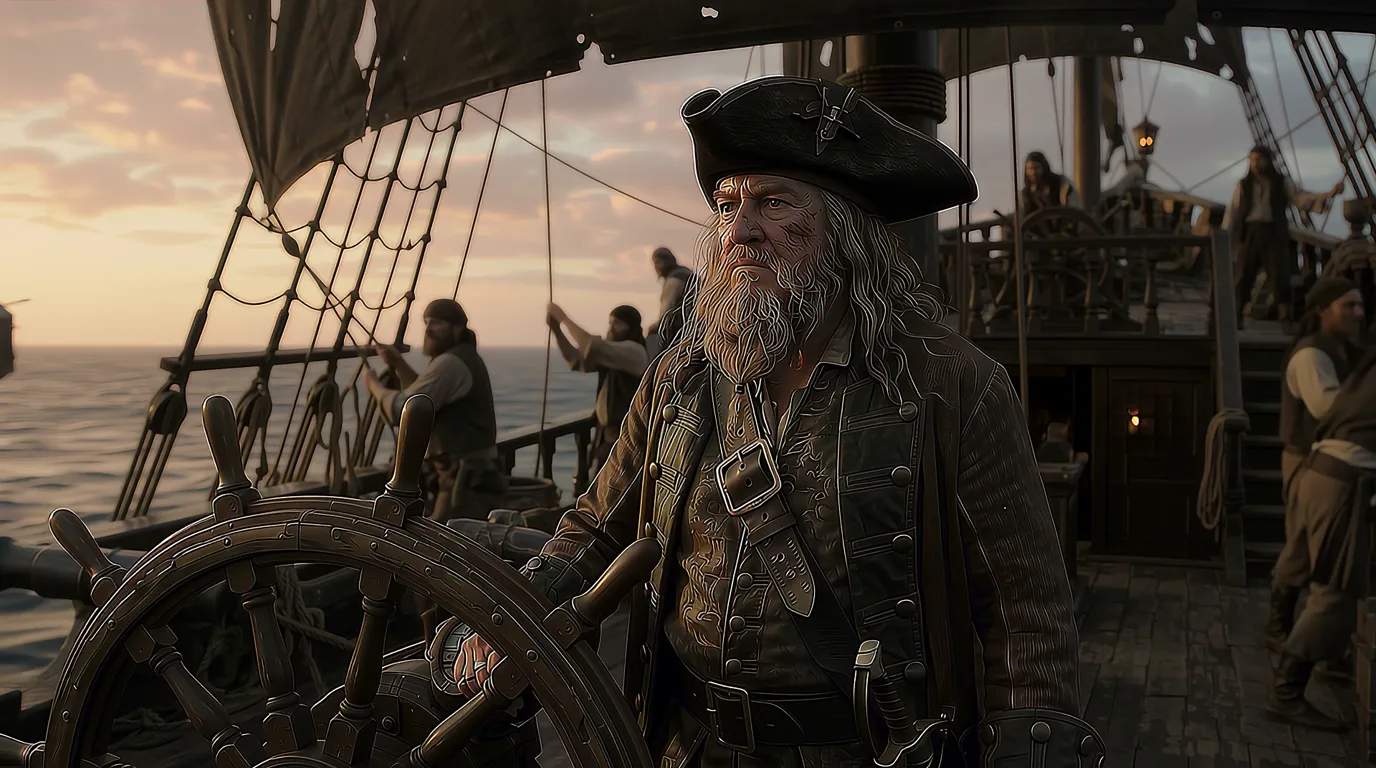
Then the one we actually wanted: a Hollywood trailer, "Pirates of the Cranberries", 16:9, 1080p, 40 seconds, a single request. Popcraft auto-chains the extension process for you: one prompt in, one 40-second file out.
It took 23 minutes. Our own estimate said 15, so that is on us to retune. The result is exactly 40.0 seconds, 1920×1080, with an orchestral score that swells in roughly the right places. Same captain, same ship, same teal-and-amber grade across all four legs. That consistency is the 10-second context window from the launch post doing its job, and it is the strongest argument for the model.
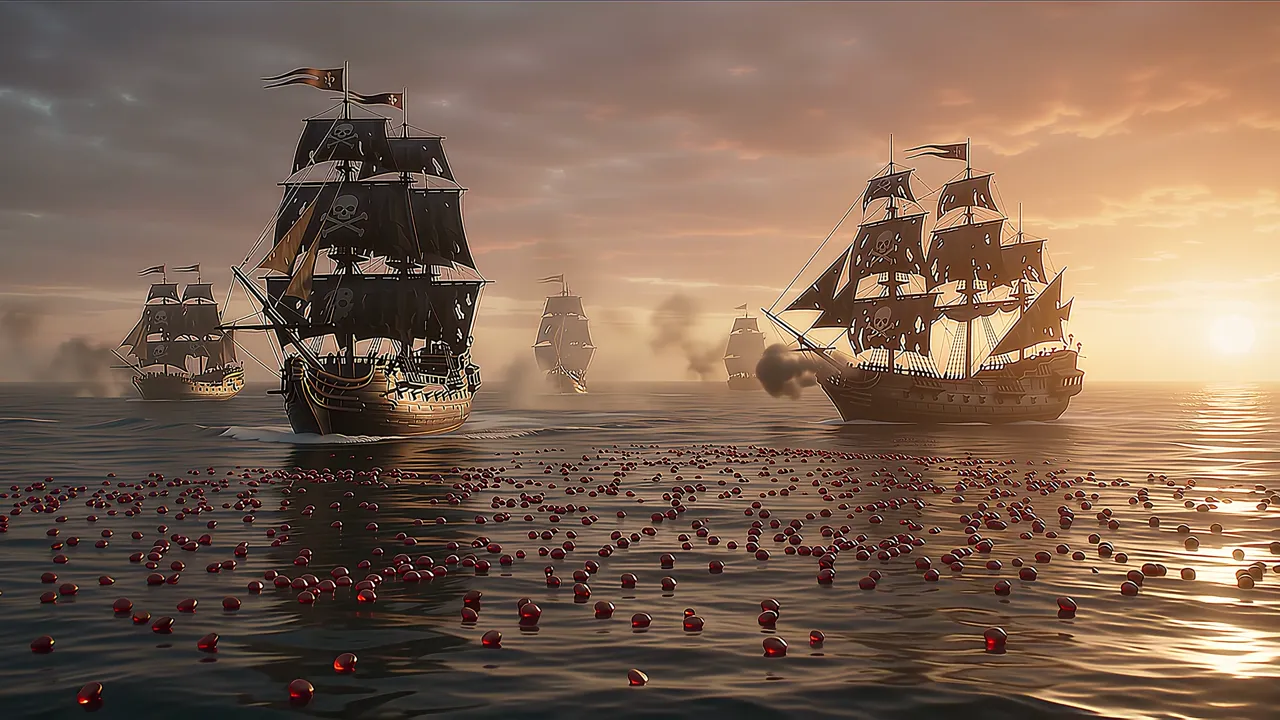
Here is what it got wrong, and why it was our fault. The prompt was a dense 240-word paragraph with five beats: storm, captain, treasure chest full of cranberries, rival ship, cannon finale. Omni kept every element and reshuffled them. The cranberry spray shows up at eight seconds, before the chest that was supposed to release it, and the chest never clearly opens. Dense prompts do not fail on this model. They get compressed.
15:10. Fine, we will test the physics claim properly
The trailer is a bad physics test: too much happening, and nobody can say whether a cranberry bounced correctly. So we wrote the dullest prompt of the day. A black tank of still water. One fluid per 10-second leg: an orange drop falling in, an indigo ink plume, then a cloud of white pigment lit from behind. No people, no story, one slow camera arc, 30 seconds at 1080p, one request.
This is the best thing the model made all day. The drop hits and throws a crown splash that collapses back the way water does. The indigo plume rolls in behind it and folds through the orange without either colour smearing into a blur. When the white cloud arrives the backlight scatters through it and the earlier fluids are still there underneath, still moving. The camera arc holds through all three legs and never resets. Watch the join at ten and twenty seconds: we cannot find it.
Our cheaper drafts first, because that is the workflow we would recommend. Four 10-second 720p variants (ink, honey, dominoes, a Newton's cradle) took about two minutes each. Ink and the cradle were good, honey was a little too eager, the dominoes fell in the right order but with no weight. Ink won, we wrote the 30-second version, and the 30-second version came back better than the draft. That was not the case with the trailer, where more length meant more compression of the story. With no story to compress, extension is pure upside.
Google's sentence about fluid dynamics is, on this evidence, not marketing.
16:40. And the camera claim
The other claim we kept reading in Google's launch material was about camera. A partner quote on the model page praises its "dynamic camera motion", and the Vertex prompt guide lists the vocabulary the model was taught: drone, dolly, pan, tilt, tracking, crane, orbit, whip pan, and a "dolly zoom" it flags as advanced and not officially supported.
So we asked for all of them in one 30-second shot, on the same lighthouse from the morning, one move per beat of the prompt.
Scored move by move, against the prompt:
- Drone approach. Yes. Skims the wave tops, climbs the basalt, arrives at the lantern at exactly the second we asked for. The best ten seconds of camera the model gave us all day.
- Orbit. Yes. The last ten seconds circle the keeper from behind, through profile, to a wide on the far side, and the lighthouse stays the same lighthouse throughout.
- Whip pan to the boat. No. The boat is there, small on the horizon, but the camera drifts to it rather than snapping. The model softened the fast move into a slow one.
- Crane up over the lantern. Half. The rise happens in the first leg, where the prompt did not ask for it, and not in the second, where it did.
- Low-angle push-in with a rack focus. No. It ended on a wide instead.
- Dolly zoom. We left it out of the 30-second prompt on purpose. In an earlier 10-second test it came back as a plain push-in, and Google's own guide files it under "not officially supported", so that one is fair.
Two things nobody asked for. Between the first and second leg the camera passes straight through the lantern glass to find the keeper inside, then follows her out of the door onto the gallery. There is no cut anywhere in the file (we ran a scene detector over it), so the model invented a transition to get from the drone's position to hers. It is a good invention. Less good: her hair is pinned up inside the lantern and loose on the gallery a few seconds later. Google's model card lists "consistency across edits" and "complex motion" as known limitations, and this is what that looks like in practice.
The pattern, over both the 10 and 30-second tests, is that slow, sweeping moves (drone, orbit, arc, dolly) are reliable and fast or optical ones (whip pan, dolly zoom) get rounded off into something gentler. If your shot needs a snap, generate it as its own short clip and cut it in.
The prompting lesson is the same as the trailer's. Name the move, one per beat, in the vocabulary from Google's own guide, and the slow ones arrive on time. Describe a feeling ("sweeping", "dynamic") and you get a slow push-in either way.
What actually changed from Omni Flash 1.0?
Google's model page uses the same capability table for both versions, so the delta is unusually honest:
| Capability | Omni Flash (May 2026) | Omni 1.1 Flash (Aug 2026) |
|---|---|---|
| Text-to-video | Yes | Yes |
| Image-to-video | Not supported | Supported |
| Reference images / video | Not supported | Up to 10 images, 3 videos |
| First and last frame | Not supported | Supported |
| Video editing | Supported | Supported |
| Extend videos | Not supported | Supported, to 40 s |
| Output resolution | 720p only | 360p, 720p, 1080p, 4K |
| Sound generation | Speech, music, effects | Speech, music, effects |
| Provenance | SynthID, C2PA | SynthID, C2PA |
The physics and world-knowledge claims from the original "Introducing Gemini Omni" post ("an improved intuitive understanding of forces like gravity, kinetic energy and fluid dynamics") carry over, and we went back and tested that one on purpose, below. The thing Google leads with, though, is memory: "every instruction builds on the last. Your characters stay consistent, the physics hold up and the scene remembers what came before." After the trailer, we believe the second half of that sentence more than we expected to.
How do you tell it what to do without a mode switch?
You don't, and that takes a minute to get used to. Google's guide: "we recommend relying primarily on prompting and using the task parameter only when prompting doesn't work." What you attach and what you write is the switch.
- Nothing attached: text-to-video.
- One image: it becomes the first frame.
- Two images, plus the words "first frame" and "last frame": interpolation between them. Without those words, two images are subject references.
- Up to ten images: subject reference; the people and objects stay consistent.
- A video plus "make it snow": an edit that keeps the shot, length and framing.
- A video plus "extend this video": scene extension.
The last two catch people. If you attach a clip and describe a continuation without the word extend, the model treats it as an edit and returns the same length. Popcraft adds the keyword for you on the Extend Video panel; from the API or MCP you write it yourself.
What we would tell a colleague before their first 40-second render
Not a tips list. Three things, in the order they will bite you.
One action per leg. Google's guide documents a timecode syntax, and it maps perfectly onto 10-second legs. This is the trailer prompt we should have sent:
A pirate galleon in a storm at dusk, skull flag, torn black sails. Single continuous shot, no scene cuts. [0-10s] The ship crashes through waves; the camera rises to the deck. [10-20s] The bearded captain at the wheel shouts an order; the crew roar back. [20-30s] He opens an iron chest at the bow; it overflows with red cranberries. [30-40s] A rival ship fires; cranberries scatter in slow motion as he raises his cutlass. Look: anamorphic flares, teal-and-amber grade, orchestral score, no on-screen text.
Say what you want to hear, including nothing. Silence is a request. "No dialogue", "no music, only wind and water" are the guide's own examples of simple negatives, and they work. Leaving sound out of the prompt is not the same as asking for none.
Edit with fewer words than feels right. Straight from Google: "Simple prompts work best for video editing. Overly descriptive prompts can lead to unintended changes." Name the change, add "keep everything else the same", stop typing.
Where it sits next to Seedance 2.5 and Veo 3.1
We host several video models because none of them wins every shot. Omni's edge is a single long clip, up to 40 seconds and up to 4K, with its own sound, from one request. Seedance 2.5 takes far more references (30 images, 10 videos) and does region-precise editing. Veo 3.1 gives tight frame control at 8 seconds. Brief with one hero clip and a score: start with Omni. Brief with a product that must look identical across twelve shots: start with Seedance.
Cost on Popcraft is per second delivered, by resolution: 720p to draft, 1080p to deliver, 4K for the hero slot with the chain capped at 30 seconds. Pick any length from 3 to 40 seconds on the slider; Popcraft auto-chains the extensions behind the scenes, the slider only offers lengths the model can reach, and the number you see before you generate is the number you pay.
Go and break it yourself
Gemini Omni 1.1 Flash is in the video generator now, and in Canvas boards and the MCP connector. It is free to start with 100 credits and no card. Do what we did: 10 seconds at 720p first, judge it, then extend, or bring a clip you already like and extend that. The trailer and the extension are on the model page, unedited, sound and all; the two 30-second tests are the ones you just watched.
Sources: Google's "Introducing Gemini Omni" and "Gemini Omni 1.1 Flash lets you build with more control" posts, the Google DeepMind model card for Gemini Omni Flash, the Gemini Enterprise Agent Platform model pages for Omni Flash and Omni 1.1 Flash, and the Gemini API developer guide. Measurements are ours, from 3 September 2026.